The edit
starts with
a word.
Edit the words.
The video follows.
In The Script, delete words from the transcript to cut the video. The closer look here will show the words and the cut together.
Interactive sketch
MAKE IT
YOURS.
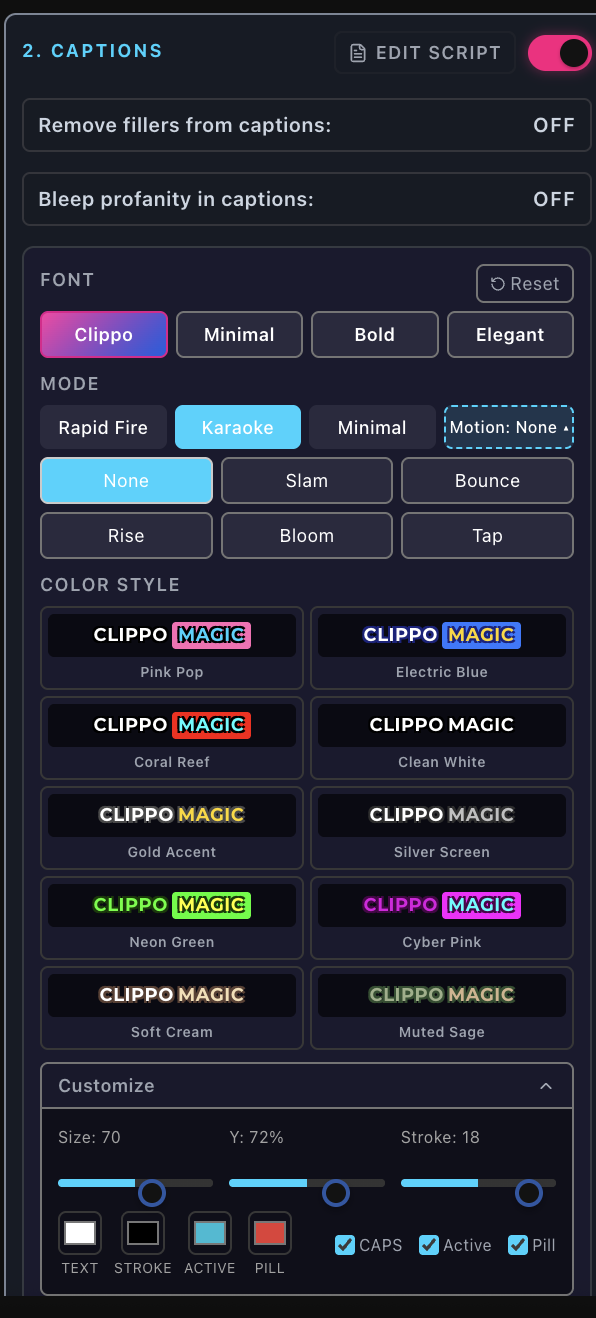
Pink Pop. Highlighted word: Make.
View full panel HOW YOU GET THERE
Captions: automatic in Clippo Magic. One click in Director.
A helping hand, wherever you start.
Bring the recording. Clippo finds hooks, stories, quotes and insights.
Take the cut, color and sound into your own hands.
Each project lives in one mode — you choose when you start it.
THE WORDS MATTER
Captions are highlighted word by word. Choose a look, then make the text your own.
Mute the word, choose from two tones, and mask it in the captions.
CLIPPO MAGIC
Captions for the moments you keep.
Find your caption styleAuto-clipping finds hooks, stories, quotes and insights in your recording. Edit the titles, descriptions and hashtags, then batch export the clips you choose.
DIRECTOR
Captions for the cut you make.
Find your caption styleBuild your edit on the timeline or cut video by editing the words. Shape the color and sound. Hey Clippo lends a hand with editing changes you can undo; submitting an export is not undone.
The edit
starts with
a word.
In The Script, delete words from the transcript to cut the video. The closer look here will show the words and the cut together.
Give the
story
a voice.
The voiceover demo will follow an English preset voice from script to edit.
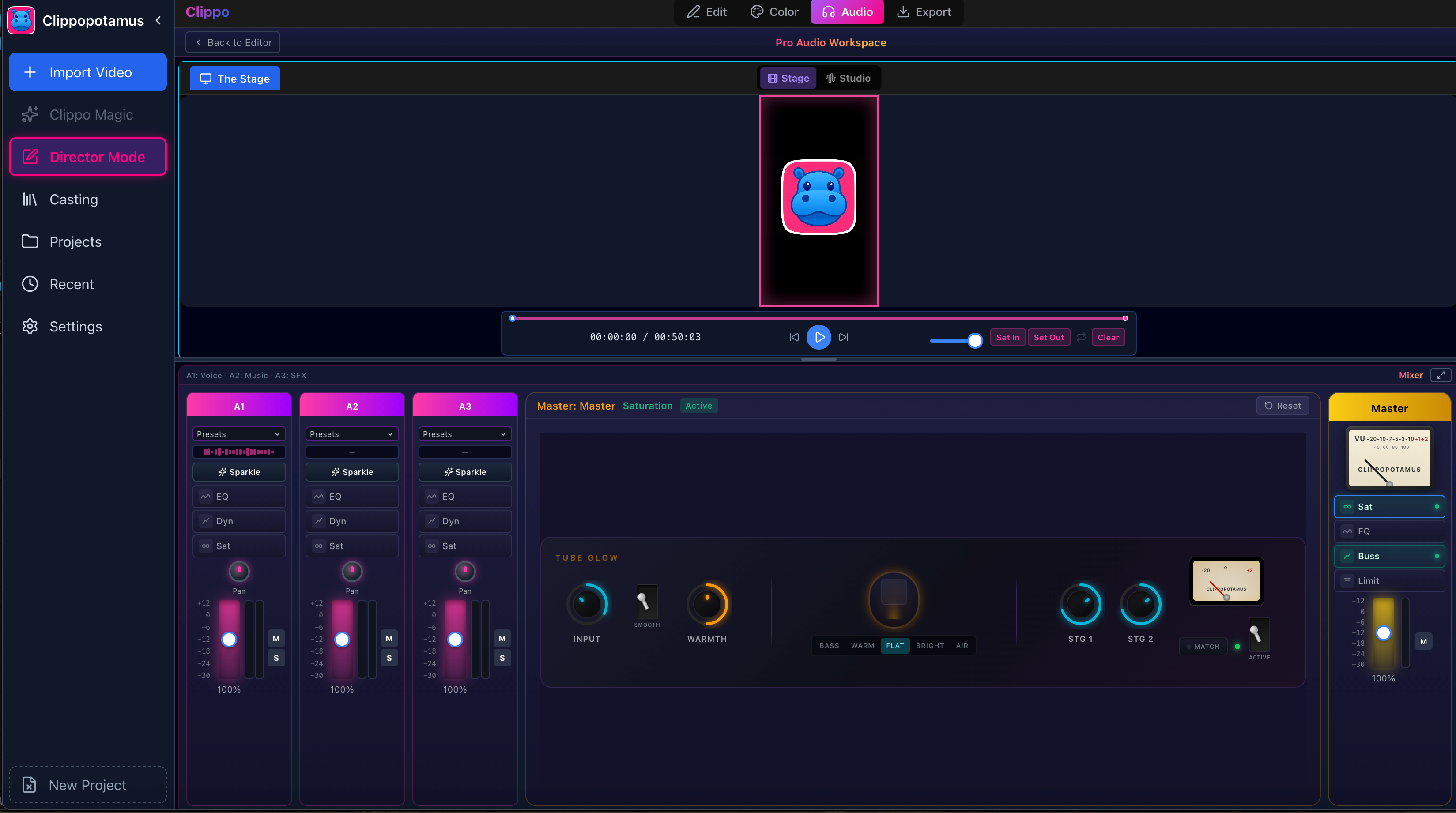
DIRECTOR / PRO AUDIO WORKSPACE
Mix voice, music and sound effects. Explore track and master controls.
Turn on Clippo Sparkle per video in Magic or per track in Director. It adjusts equalization and level toward a loudness target — a helping hand with tone and volume.
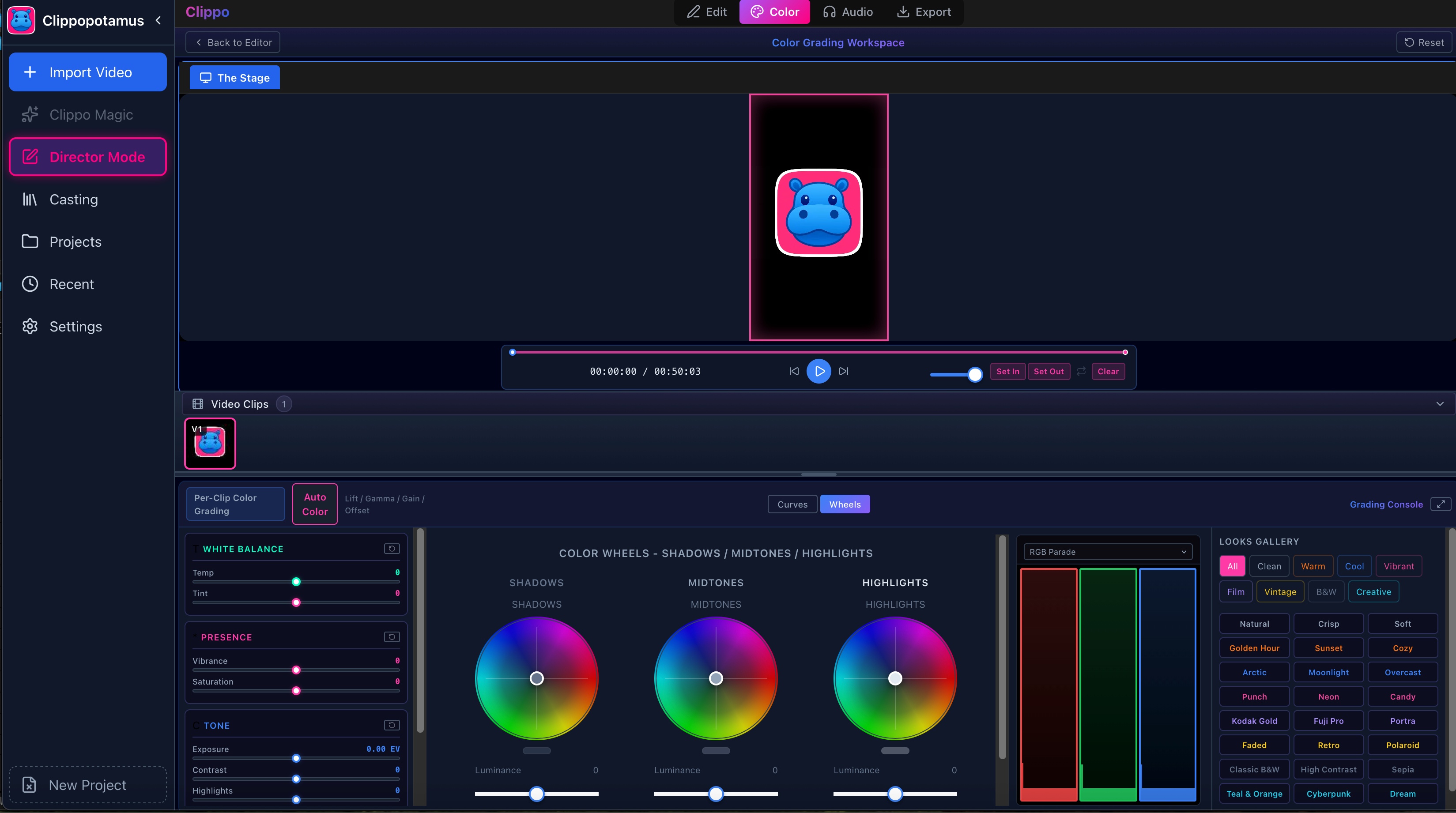
DIRECTOR / COLOR
Start Auto-Color from one reference frame, then adjust the strength. Work with wheels, curves and looks to make the color yours.
A starting
point.
GET CLOSER TO THE COLOR CONTROLS
YOUR RECORDING. YOUR POINT OF VIEW.
US-only at launch.